
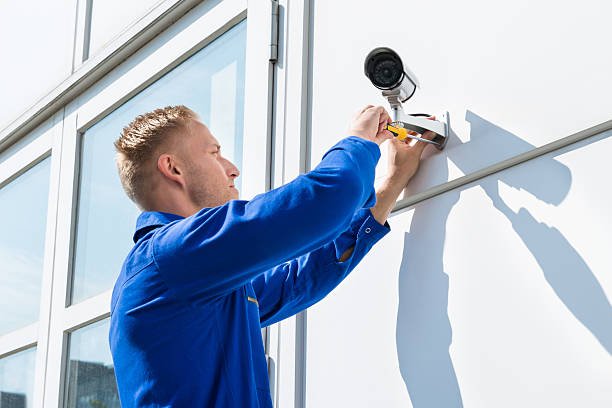
Installing CCTV can seem straightforward: choose a few cameras, mount them around the property, connect them to Wi-Fi or a recorder, and open the app on your phone. In practice, the quality of the finished system depends on decisions made before the first camera is installed.
New Zealand homes vary considerably, from compact Wellington townhouses to larger Wairarapa properties, and each presents different coverage, lighting, networking and privacy considerations.
A reliable CCTV setup & support service in NZ can help homeowners identify these issues before installation, but understanding common security camera installation mistakes also helps you make better decisions, avoid unreliable footage, and choose a system that remains useful when an actual security incident occurs.
Why camera choice alone does not create effective home security
A common misconception is that a camera with a higher resolution automatically provides better protection. Resolution matters, but it is only one part of the equation. The camera needs to be positioned where the relevant activity actually occurs, connected reliably, recording usable footage, and configured so the homeowner can retrieve that footage when needed.
This is why buying a premium camera and installing it in the wrong location can produce a worse practical result than using a simpler camera that has been carefully planned.
Start with security objectives
Before comparing brands or specifications, identify what you want each camera to observe. A front entrance may need clear facial detail, while a driveway camera may need enough coverage to capture vehicles approaching and leaving.
Ask:
- Which entrances are most important?
- Where could someone approach the property without being clearly visible?
- Which outdoor areas need night-time coverage?
- How far is the subject likely to be from the camera?
- Do you need continuous recording or event-based recording?
This simple assessment prevents the system from becoming a collection of cameras rather than a coherent security solution.
Poor placement creates blind spots and unusable footage
One of the most expensive security camera installation mistakes is mounting cameras based on convenience rather than evidence requirements. A camera placed too high may capture the top of someone’s head. A camera facing directly towards strong sunlight can produce silhouettes. Another positioned behind a tree may have excellent footage in winter but become obstructed when foliage grows.
Think about identification, not just visibility
The important question is not “Can I see the driveway?” but “Could I identify what happened on the driveway?”
For an entrance, the useful field of view may be relatively narrow because identifying a person matters more than covering a large section of the property. Conversely, a backyard or side passage may benefit from wider coverage.
Camera positioning should therefore account for viewing angle, mounting height, expected movement, lighting, distance and potential obstructions.
Test the view before permanent installation
A practical approach is to temporarily position a camera and review sample footage during both daylight and darkness. Walk through the areas you expect to monitor and check how faces, vehicles and movement appear.
This can reveal problems that are difficult to notice from a phone preview, particularly at night. Infrared illumination, reflective surfaces, headlights and nearby outdoor lighting can all affect the final image.
Treat cabling and network performance as part of the security system
Another group of security camera installation mistakes occurs when homeowners treat the network as an accessory rather than part of the surveillance system. Modern cameras may send high-resolution video continuously, making network reliability important for live viewing, alerts and remote access.
Wired versus wireless is a property decision
Wireless cameras can be useful where running cable is difficult, but the distance between the camera and access point, building materials and network congestion can affect reliability. Wi-Fi issues may show up as delayed notifications, intermittent live views or cameras that repeatedly disconnect.
Wired IP cameras, particularly Power over Ethernet (PoE) systems, can provide a more predictable connection while allowing data and power to travel through suitable network cabling. However, installation quality matters. Poor cabling, badly terminated connections or exposed outdoor cable runs can create faults that are difficult to diagnose later.
Consider the whole network
If several cameras are connected to one network, consider the router, switches, access points, recorder and internet connection together. A camera system may appear to work during installation but behave differently when multiple devices are streaming simultaneously.
For homeowners who need both surveillance installation and broader technology assistance, Tech On Road is a CCTV setup & support service in NZ offering on-site CCTV installation, IP/PoE setup, structured cabling, recording configuration, remote viewing and ongoing technical support across Wellington, the Hutt Valley, South Wairarapa and the Kapiti Coast.
Recording capacity is often overlooked until footage is needed
A camera can capture excellent video and still fail the homeowner if important footage is no longer available. Storage planning should therefore happen before installation.
The amount of footage a system can retain depends on factors such as:
- Number of cameras
- Video resolution
- Frame rate
- Continuous versus motion recording
- Compression settings
- Recorder or storage capacity
- Retention period
For example, a homeowner who only checks recordings after an incident may discover that the recorder has overwritten the relevant footage. A commercial property can have more complex retention considerations, particularly when multiple people have access to recordings.
Remote access should also be tested rather than assumed. Confirm that the mobile application can display live video, retrieve recordings and receive alerts when the homeowner is away from the property.
Ignoring privacy can create unnecessary problems
Security cameras should protect a property without unnecessarily capturing private areas belonging to neighbours, tenants or other people. In New Zealand, privacy considerations depend on who operates the system and how the footage is collected and used.
The Office of the Privacy Commissioner advises organisations using CCTV to establish the purpose for collecting footage, consider what information is necessary, determine who can access it, decide how long it will be retained and keep it secure. It also advises that CCTV generally should not record sound where visual footage is sufficient.
For a private homeowner, the Privacy Act does not usually apply to ordinary domestic use, although there are important exceptions and other laws can apply. The Privacy Commissioner specifically recommends avoiding cameras pointed directly at a neighbour’s property, doors or windows and taking care not to record activities that would otherwise be private.
Do not enable every feature by default
Modern cameras can offer microphones, two-way audio, motion tracking and cloud recording. More functionality is not necessarily better.
If audio is not needed for the security objective, disabling it can reduce privacy concerns. Similarly, motion tracking should be configured so the camera does not unnecessarily follow activity outside the intended area.
Legal compliance should be considered during system design rather than after installation. For businesses, landlords and multi-tenant properties, privacy responsibilities can be more substantial than for ordinary household use.
Skipping the final system test is a costly shortcut
Another security camera installation mistake is considering the project complete as soon as every camera appears online.
A proper handover should test the system from the perspective of someone actually using it. Walk around the property, trigger motion detection, check notifications, review recorded footage and confirm timestamps. Test the system at night as well as during the day.
Also simulate common failures. What happens if the router restarts? Does the recorder continue operating if the internet connection goes down? Can footage still be retrieved locally? Are all cameras recording?
These checks can expose system failures before an incident does.
Compare an installation by outcomes, not specifications
When comparing a CCTV installer or equipment package, homeowners often focus on camera count, megapixels or headline pricing. Those figures are useful, but they do not reveal whether the finished system will work effectively on a particular property.
A better comparison looks at the complete installation:
| Area | What to check |
| Coverage | Are entrances, driveways and vulnerable areas actually covered? |
| Image quality | Can important subjects be identified in realistic lighting? |
| Connectivity | Is the network reliable at every camera location? |
| Storage | How long will useful footage remain available? |
| Remote access | Can footage and alerts be accessed securely away from home? |
| Privacy | Are cameras avoiding unnecessary views and audio collection? |
| Support | Who will troubleshoot, reposition or maintain the system later? |
| Expansion | Can additional cameras or storage be added if requirements change? |
This approach is particularly useful when comparing a DIY package with a professionally designed installation.
A reliable system starts with decisions made before drilling
The value of a CCTV system is ultimately measured by what it can help you understand when something goes wrong. A camera that captures a clear face at the front door, records a vehicle entering the driveway, or preserves usable footage overnight can provide far more value than a system chosen simply because it has more cameras or a higher resolution.
For homeowners, the installation decision therefore deserves the same attention as the equipment itself. Consider how the system will perform in the actual conditions around your property, how easily footage can be accessed when needed, and whether the setup can continue to meet your needs as the property or technology changes.
If you are comparing CCTV options, take a moment to look beyond the specification sheet. The right system is one that makes sense for your property, your security concerns and the way you expect to use it.